 TuClaw
Automate Browser Tasks with AI
A browser agent that books appointments, scans listings, sends emails, fills forms. All from a chat in your browser's side panel.
Add to Chrome
TuClaw
A browser agent that books appointments, scans listings, sends emails, fills forms. All from a chat in your browser's side panel.
Add to Chrome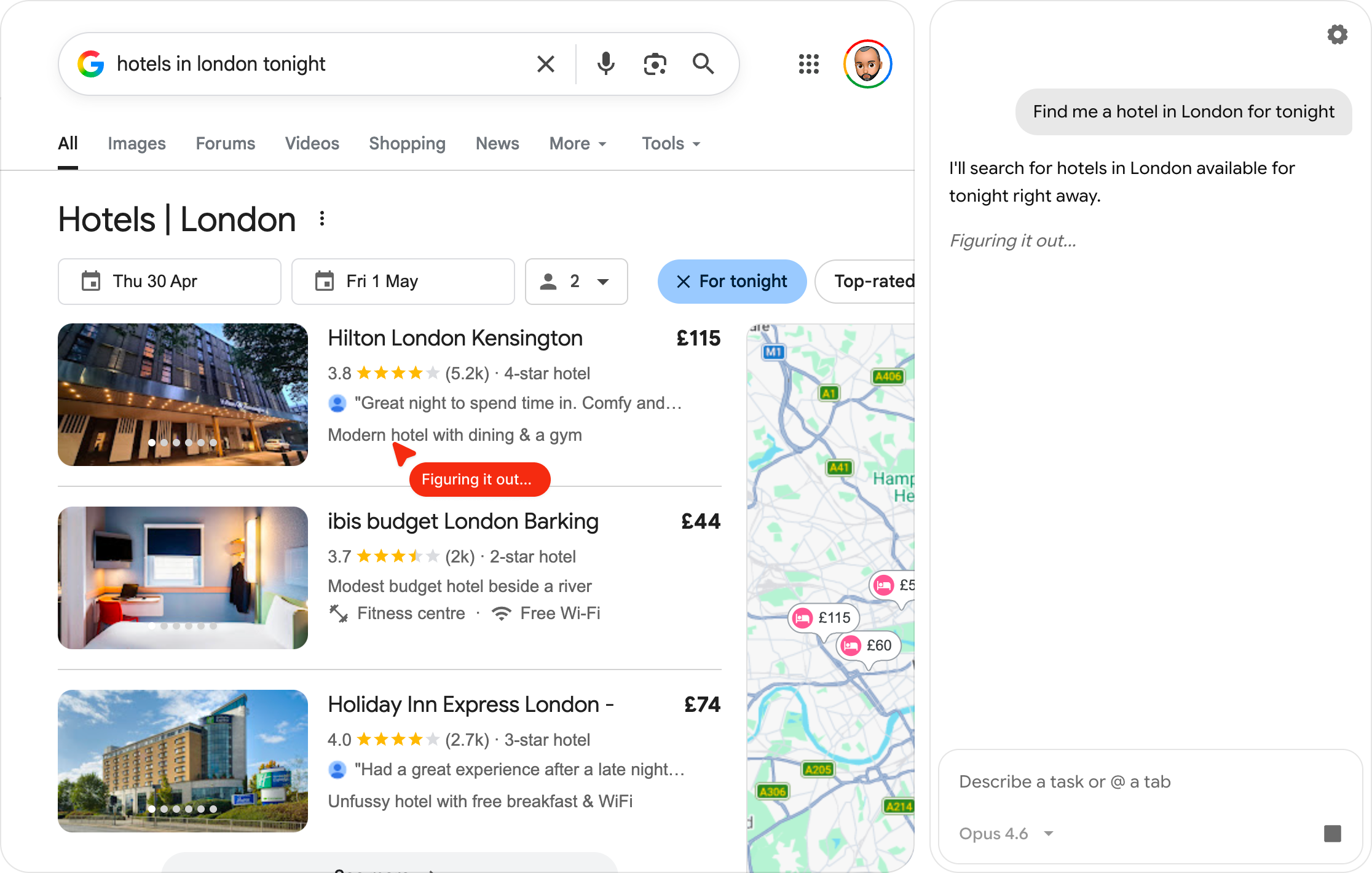
Describe what you need in plain English. The agent figures out the rest.
Type @ to point the agent at a specific tab. Gmail, GitHub, anything.
Run tasks every hour, every Friday at 9am, or once in 30 minutes.
The agent remembers context across sessions so it gets sharper over time.
Use Claude, ChatGPT, or Gemini. You pay your provider directly, no markup.
Confirms with you before any irreversible action like submitting forms, deleting, or posting.
Pulls clean text from articles, emails, and docs so the agent gets the full content, not a screenshot guess.
Idle-only scheduling defers tasks until you stop using the browser, so it never hijacks your active work.
Recent scheduled runs stick around so you can ask "what did the morning Gmail check find?" and get a real answer.
Almost any site you can open in Chrome. The agent reads pages and dispatches clicks and keystrokes just like you would. Chrome's internal pages (chrome://, the Web Store) are blocked by Chrome for all extensions. Sites with strict bot detection or CAPTCHAs may resist automation; the agent will pause and ask for help when that happens.
No. TuClaw works inside your existing browser session, so it sees what you'd see when you're logged in. No personal credentials are stored, transmitted, or shared. Passwords, cookies, and browsing data stay where they are.
Safe Mode is on by default. Before any consequential action (submitting a form, sending a message, posting, deleting), TuClaw pauses and asks you to approve. You're always the one pressing the final button.
No. CAPTCHA challenges are designed to block automation and TuClaw cannot solve them. When a task hits one, solve it yourself and the agent can pick up from there.
Any of the three works: Claude, ChatGPT, or Gemini. You bring your own API key from whichever you already use, and TuClaw talks to that provider directly. Switching is two clicks if you want to try another.
TuClaw has no server. Your prompts and page content go straight from the extension to your AI provider using your key.